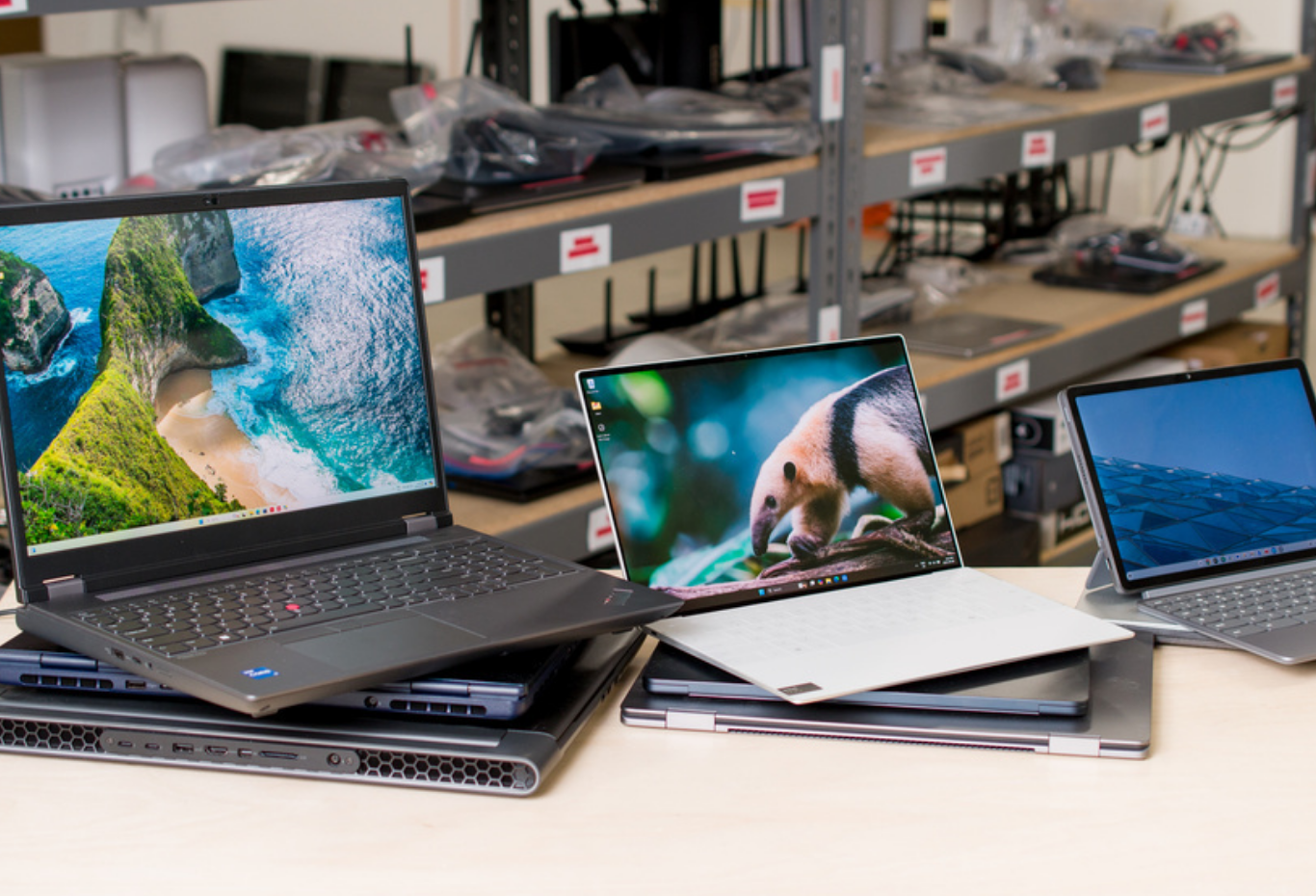
Computers and laptops have become essential tools for work, education, communication, entertainment, business, and everyday life. From students attending online classes to professionals managing businesses and creators producing digital content, people rely on computing devices for a wide range of tasks.
Although smartphones and tablets have become increasingly powerful, computers and laptops continue to offer advantages when it comes to productivity, multitasking, professional software, file management, gaming, content creation, and complex tasks. The challenge is choosing the right device from the enormous number of options available.
Computers come in many forms, including desktop PCs, laptops, all-in-one systems, workstations, gaming computers, and compact mini PCs. Each type is designed for different needs and budgets. Understanding the differences between these devices can help buyers make better decisions.
What Are Computers and Laptops?
A computer is an electronic device that processes information and allows users to perform tasks using software and hardware. Desktop computers are generally designed to remain in one location and can offer excellent performance, upgradeability, and value.
A laptop is a portable computer that combines a display, keyboard, touchpad, battery, and internal components into a single device. Laptops allow users to work, study, browse the internet, watch videos, and perform many other activities from different locations.
Modern laptops range from affordable basic models to high-performance professional and gaming machines.
Desktop Computers vs. Laptops
One of the first decisions buyers need to make is whether they need a desktop computer or a laptop.
Desktop computers are often better suited to people who prioritize performance, expandability, and long-term customization. Many desktop components can be replaced or upgraded individually, including memory, storage, graphics cards, and other hardware.
Laptops, on the other hand, are designed around portability. They are convenient for students, remote workers, business professionals, travelers, and anyone who needs to move between different locations.
A desktop may offer more performance for the price, while a laptop provides flexibility and convenience. The right choice depends on how and where the device will be used.
Choosing the Right Processor
The processor, often called the CPU, is one of the most important components in a computer or laptop. It handles instructions and performs calculations that allow software to run.
Processors come in different performance levels and generations. A basic processor may be perfectly suitable for web browsing, document editing, email, and streaming. More demanding tasks such as video editing, software development, 3D rendering, and gaming may require a more powerful CPU.
When comparing processors, buyers should look beyond the brand name. Factors such as the processor generation, number of cores, performance characteristics, power efficiency, and intended workload can all matter.
For everyday users, choosing an appropriately balanced processor is usually more valuable than paying for the highest-end model.
RAM and Multitasking
RAM, or random access memory, helps a computer manage applications and tasks that are currently running.
A device with insufficient RAM may become slow when multiple applications or browser tabs are open. More RAM can make multitasking smoother, although the ideal amount depends on the user's workload and operating system.
Basic users may need less memory than professionals working with large datasets, creative applications, virtual machines, or demanding development environments.
It is also important to check whether RAM can be upgraded. Some laptops have memory that is permanently integrated into the system, while others provide upgrade options.
Storage: SSD vs. Traditional Hard Drives
Storage is where files, applications, operating systems, photographs, videos, and other data are saved.
Solid-state drives, commonly called SSDs, have become a standard choice for modern computers and laptops because they generally provide faster responsiveness than traditional mechanical hard disk drives.
An SSD can improve startup times, application loading, and overall system responsiveness.
Storage capacity is another important consideration. Users with large collections of photographs, videos, games, or professional files may require more storage.
Cloud storage and external drives can also supplement internal storage when necessary.
Display Quality
The display is particularly important for laptop users because it is built directly into the device.
Important display characteristics include screen size, resolution, brightness, refresh rate, color quality, viewing angles, and panel technology.
Students and office workers may prioritize readability and comfortable viewing, while photographers, designers, video editors, and gamers may need more specialized display features.
A higher refresh rate can provide smoother motion, which can be especially useful for gaming. Meanwhile, accurate color reproduction can be important for creative professionals.
Graphics and GPUs
The graphics processing unit, or GPU, handles graphics-related tasks.
Basic computers may rely on integrated graphics that share system resources with the CPU. These can be sufficient for office applications, web browsing, streaming, and many everyday tasks.
Dedicated graphics cards provide significantly greater graphics performance and are commonly used for gaming, 3D applications, professional visualization, and certain creative workloads.
Gaming laptops and high-performance desktops often include dedicated GPUs.
However, buyers should avoid paying for a powerful graphics card if their everyday tasks do not require it.
Laptops for Students
Students often need devices that balance affordability, portability, battery life, and performance.
For writing assignments, presentations, web research, online classes, and general productivity, an entry-level or mid-range laptop may be sufficient.
Portability can be especially important for students who carry their laptop between classrooms, libraries, homes, and other locations.
Battery life, keyboard comfort, webcam quality, and durability can be just as important as raw processing performance.
Students working in fields such as engineering, architecture, programming, design, or media may require more powerful specifications because of specialized software.
Laptops for Professionals and Remote Work
Remote workers and business professionals often need reliable computers that can handle video meetings, office applications, communication tools, browser-based services, and multitasking.
A comfortable keyboard, good webcam, reliable wireless connectivity, and long battery life can make a significant difference.
Professionals who frequently travel may prefer lightweight laptops, while those who primarily work from a fixed desk might benefit from a larger screen or external monitor.
A docking station can also allow a laptop to connect to multiple displays, keyboards, mice, storage devices, and other peripherals.
Gaming Computers and Laptops
Gaming computers are designed to handle demanding games and graphics-intensive applications.
A gaming system generally benefits from a capable CPU, dedicated GPU, sufficient RAM, fast storage, and an appropriate display.
Desktop gaming PCs often provide more flexibility because individual components can be upgraded over time. Gaming laptops offer portability but may cost more for comparable performance and have fewer upgrade options.
Cooling is particularly important for gaming systems. Powerful hardware generates heat, so an effective cooling system can help maintain performance during demanding workloads.
Computers for Content Creators
Photographers, video editors, graphic designers, musicians, and other creators often require powerful systems.
Content creation can involve large files and demanding applications. A suitable computer may need a powerful processor, substantial RAM, fast storage, and a capable GPU.
Display quality can also be critical for visual professionals. A high-quality monitor with accurate colors can make editing and design work more reliable.
Storage planning is important as well. High-resolution photographs and video files can consume large amounts of space, making external drives or network storage useful additions.
Battery Life and Portability
Battery life is one of the most important factors when purchasing a laptop.
A laptop with strong battery performance can allow users to work, study, or entertain themselves for longer periods without searching for a power outlet.
Actual battery life can vary depending on screen brightness, applications, wireless connectivity, workload, and battery condition.
Portability also depends on weight and dimensions. A lightweight laptop may be easier to carry every day, while a larger device may provide a bigger screen and additional performance.
The best balance depends on the user's priorities.
Operating Systems
Computers and laptops are available with different operating systems. Windows is widely used across personal and business computers, while macOS is designed for Apple's Mac computers. Linux distributions are also popular among developers, technical users, and people who prefer open-source software.
Each operating system has its own software ecosystem, interface, hardware compatibility, and workflow.
Before buying a computer, users should confirm that the applications they depend on are supported by their chosen operating system.
Connectivity and Ports
Ports can be easy to overlook when buying a laptop, but they can become important later.
Depending on the device, ports may include USB connections, USB-C, HDMI, audio ports, memory-card readers, and other interfaces.
Wireless connectivity is also important. Modern computers commonly support Wi-Fi and Bluetooth, but capabilities can vary between models.
Professionals who connect external displays, cameras, storage devices, or other accessories should carefully check available ports before purchasing.
Security and Privacy
Computer security is increasingly important because devices often contain personal, professional, and financial information.
Users should keep their operating system and applications updated and use strong passwords. Security software and built-in protection features can provide additional layers of defense.
Many modern laptops also include biometric security features such as fingerprint readers or facial recognition, depending on the model.
Regular backups are equally important. A hardware failure, accidental deletion, or other problem can result in lost files if important data exists in only one location.
Buying a Computer on a Budget
A limited budget does not necessarily mean settling for an unusable computer.
The most effective approach is to prioritize components according to actual needs. Someone who mainly browses the internet and works with documents does not necessarily need premium gaming hardware.
Refurbished computers from reputable sellers can also provide another option for budget-conscious shoppers. Buyers should check the device's condition, warranty, specifications, battery health where relevant, and return policy.
Comparing several models before purchasing can reveal significant differences in value.
Refurbished and Used Computers
Used and refurbished computers can be attractive alternatives to buying new devices.
A refurbished product may have been inspected, repaired, tested, and resold. However, the quality of refurbishment can vary between sellers.
Before purchasing a refurbished laptop or desktop, check its processor generation, RAM, storage, battery condition, physical condition, warranty, and return policy.
Older computers may still be suitable for basic tasks, but buyers should consider how long they are likely to receive software and security updates.
Maintaining Your Computer
Regular maintenance can help extend the life of a computer or laptop.
Keep software updated, maintain adequate free storage, clean vents and fans when appropriate, and avoid exposing the device to excessive heat or moisture.
Laptops should be transported carefully, especially when they are stored in bags with other objects.
It is also useful to monitor storage capacity and remove unnecessary applications and files periodically.
For desktops, keeping internal components free from excessive dust can help support effective cooling.
The Future of Computers and Laptops
Computing technology continues to evolve. Modern devices increasingly focus on artificial intelligence features, energy efficiency, improved battery performance, faster connectivity, and more efficient processors.
AI-enabled computers are becoming an important area of development, with hardware and software increasingly designed to handle AI-related workloads locally.
At the same time, manufacturers are placing greater emphasis on thin designs, improved displays, longer battery life, and sustainable materials.
Cloud computing and online services are also changing how people use their devices. Many tasks that once required locally installed software can now be performed through web-based platforms.
Despite these changes, the fundamental goal remains the same: providing users with reliable tools for productivity, creativity, communication, and entertainment.
Final Thoughts
Computers and laptops remain among the most versatile technology products available. Whether you need a simple device for studying, a professional workstation for demanding software, a gaming system, or a portable computer for remote work, there are options for different needs and budgets.
The key to making a good purchase is understanding what you actually need. Processor performance, RAM, storage, graphics, display quality, battery life, portability, connectivity, operating system, and upgradeability should all be considered.
Instead of focusing only on the newest specifications, think about how the device will be used over the next several years. A balanced computer that meets your requirements can provide better value than an expensive system filled with features you may never use.
With careful research and realistic expectations, choosing the right computer or laptop becomes much easier. The best device is ultimately the one that fits your workload, lifestyle, budget, and long-term computing needs.